
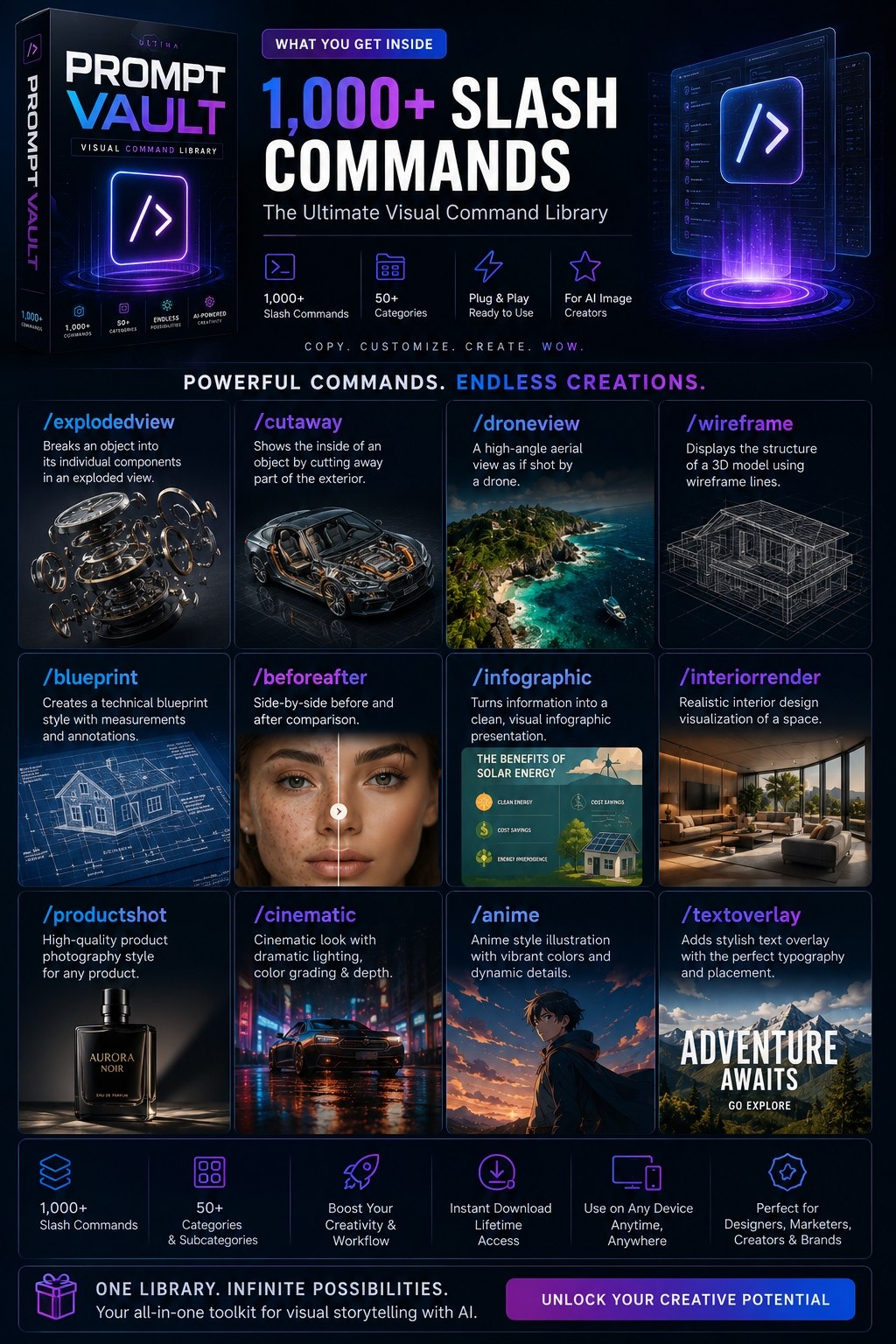
The secret nobody talks about: the most powerful image prompts aren't paragraphs. They're not even single sentences.
They're slash commands — shorthand modifiers you chain together like building blocks.
/portrait /1980s /bokeh /ar-3-4That's a complete, professional image prompt in five seconds. And it works across Midjourney, DALL-E 3, Leonardo.ai, SDXL, Flux, and ChatGPT.
The birth of /imagine
In March 2022, Midjourney opened its Beta to the public. Everyone got the same first instruction: type /imagine.
Not a long prompt. Not a style guide. Just one slash and a word.
Within weeks, Discord servers were exploding with people sharing their /imagine prompts — and a pattern emerged. The most prolific generators weren't writing paragraphs. They were dropping a few keywords, a style, a camera modifier:
/imagine prompt: a woman made of smoke / cyberpunk / neon / cinematic lighting / ar 16:9
That's not a sentence. It's a command sequence. And it was faster than English.
Fast-forward to 2026. The /slash convention has gone multi-platform:
- ChatGPT image gen uses
/imagine(inherited from Midjourney muscle memory) - Leonardo.ai supports
/model,/style,/arshorthand - Stable Diffusion web UIs use
/ar,/q,/sameseed - DALL-E doesn't natively use slashes but follows the same compositional pattern
Each platform has 50–200 native modifiers. Combined? 500–1000+ composable commands.
Why slash commands beat full prompts (most of the time)
There's a trade-off every image generator runs into:
| Full Prompt | Slash Command |
|---|---|
| ✍️ Write a paragraph | ✅ Drop a code |
| 📱 Copy-paste is fragile | 💾 Save and reuse |
| 🔄 Hard to edit | 🔗 Combine freely |
| ❓ ~800 tokens | 🔢 ~5 tokens |
Slash commands are deterministic shortcuts. You learn them like muscle memory — type /cyberpunk /neon /ar-16-9 and you know what you'll get before the image even renders.
The sweet spot: build a library of 20–30 core commands you know by heart, then chain them per project. That's what this 1027-command handbook distills.
The 5 categories you'll use 80% of the time
Not all 1027 commands are equal. Based on analyzing which ones ship most often:
1. 📐 Foundation Modifiers (30 commands)
These control the basics — the "what format" question.
/ar-16-9     → 16:9 (YouTube thumbnail)
/ar-1-1      → 1:1 (Instagram square)
/quality-high → 2x GPU / max detail
/stylize-medium → balanced artistic flair
/no-text     → bans text in output
/seed-pin    → reproducible seed
2. 🔦 Perspective / Camera (30 commands)
The "from where" question.
/lowangle   → low camera angle
/overhead  → top-down
/birdseye   → looking straight down
/pov        → first-person point of view
/ultra-wide → fish-eye wide angle
3. 🎨 Style & Medium (30 commands)
The "how does it look" question.
/photoreal   → photo realism
/oilpainting → oil on canvas
/cyberpunk   → neon-drenched sci-fi
/lowpoly    → geometric faceted look
/glitch-art  → digital corruption aesthetic
4. 💡 Lighting (26 commands)
The "mood" question.
/goldenhour  → warm evening light
/neonlight    → neon tubes/glow
/volumetric   → visible light rays
/ring-light   → creator/streamer setup
/lowkey       → high contrast shadows
5. 📱 Output Format (20 commands)
Where it lives — the "what shape" question.
/youtube-thumbnail → 1280×720 ready
/tiktok-cover      → 9:16 mobile
/poster            → 3:4 tall poster
/book-cover         → 2:3 A4-ish
/banner             → 16:7 wide
Master these 136 commands, and you can compose ~8,000 valid combinations without ever writing a full-sentence prompt.
Advanced: chaining for complex results
Here's where slash commands get dangerous. You're not limited to one per category:
/imagine: a lone astronaut / cyberpunk / neon / lowangle / goldenhour / rain / motionblur / ar-9-16 / no-text
That's one command chain producing a cinematic, specific, ready-to-post image. The astronaut is a modifier — it slots into any scene chain.
Power users chain 3 foundation + 3 style + 2 perspective + 1 lighting + output = 9 commands. That's more creative precision than a 100-word paragraph, and infinitely more editable.
What's in the full handbook
I didn't stop at the 136 power commands. The complete handbook covers all 1027 commands across 28 categories:
🎯  Foundation         (aspect, quality, model, seed)
📐  Technical          (CAD, blueprint, exploded view, cutaway)
🧪  Science/Medical    (DNA, anatomy, microscope, MRI)
📊  Infographics      (charts, flowcharts, dashboards)
📦  Product           (product shots, packshots, unboxing)
📣  Advertising         (ads for Meta, Google, billboards)
📱  Social Media       (IG, TikTok, YouTube, LinkedIn)
📸  Photography         (film stocks, lenses, bokeh)
🎬  Cinematic           (movie posters, noir, steampunk)
🌅  Lighting            (golden hour, neon, rim light)
🌍  Camera Angles       (drone, bird's eye, Dutch tilt)
🎨  Art Styles          (oil, manga, pixel art, stained glass)
🧊  3D/CGI              (Blender, Octane, ray tracing)
🏢  Architecture         (floor plans, modern, brutalist)
👤  People/Fashion       (headshots, runway, vintage)
🏎️  Vehicles/Machines    (cars, rockets, aircraft)
🧠  Concept/Creative      (cyberpunk, dystopian, surreal)
🏷️  Branding/Design        (logos, posters, style guides)
🖼️  Image Editing         (restore, inpaint, sky replace)
🗺️  Maps/Travel            (topographic, fantasy, metro maps)
🕰️  Historical/Vintage     (decade styles, daguerreotype)
🎨  Colors & Palettes      (duotone, neon, earth tones)
🧱  Textures & Materials   (concrete, marble, holographic)
🌿  Nature/Elements        (forest, storm, aurora)
🦁  Animals/Creatures       (wildlife, dragons, mythical)
🧸  Objects & Everyday       (typewriters, books, vinyl)
💭  Emotions/Concepts       (nostalgia, tension, wonder)
🌀  Abstract/Conceptual     (fractals, mandalas, neural nets)
It also includes:
- How-to-use cheat sheet (page 3) — 4 example combos with full breakdowns
- Compatibility matrix — which commands work on Midjourney vs DALL-E 3 vs Leonardo vs SDXL vs Flux vs ChatGPT
- 10 quick workflows — "turn your photo into anime," "generate a product catalog," "create a YouTube thumbnail set"
The AI Slash Commands Handbook · 1027 Commands · 28 Categories
The one PDF you'll reach for every time you fire up an image generator.
34 pages of scannable command matrices. Print it, bookmark it, stick it beside your monitor. In a week, /cyberpunk /neon /ar-9-16 /no-text will feel as natural as writing your name.
*This handbook covers slash-command shorthand used by Midjourney, DALL-E 3, Leonardo.ai, Stable Diffusion, Flux, and ChatGPT image generation. Platform names and versions referenced are accurate as of August 2026.*
Originally published on omenabyte.com → https://omenabyte.com/blog/ai-slash-commands-handbook